The Tiny Resistance Band Loop That’s Quietly Saving Desk Workers’ Bodies
You’re busy, and we get it. Between back-to-back meetings, school runs and a never-ending to-do list, a full workout can feel like a fantasy. But your body doesn’t care about your schedule. Sitting for hours tightens your hips, stiffens your lower back and switches off the muscles that keep you upright.
The good news? You don’t need a gym or a personal trainer. All you need is a resistance band loop and about five minutes.
What Is a Resistance Band Loop?
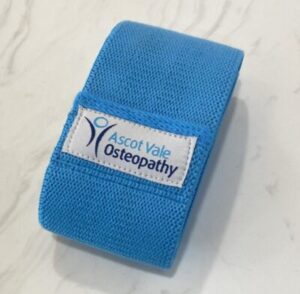
A resistance band loop is a small, flat circle of elastic. Some people call it a mini band. It fits in your desk drawer, your handbag or even your pocket.
Bands come in light, medium and heavy resistance, and they cost next to nothing. However, don’t let the simplicity fool you. A resistance band loop is one of the most versatile tools for stretching, activating and moving your body, especially when you’re stuck at a desk.
Why Sitting for So Long Is a Problem
When you sit for hours, a few things happen that you might not notice straight away:
Your hip flexors shorten and tighten, which pulls on your lower back.
Your glutes switch off, so your lower spine loses support.
Your mid-back rounds forward and loads your neck and shoulders.
Blood flow slows, muscles stiffen and tension builds.
Over time, it all adds up. Think of that nagging lower back ache. Then there are the tight hips that make you walk stiffly when you finally stand up. Add the shoulder tension that turns into a headache by 3pm.
Sound familiar?
How a Resistance Band Loop Helps You Move at Your Desk
Here’s where it gets good. You can use a resistance band loop to counter all of the above. You can do these moves seated, standing or in a small corner of your office. There’s no sweat, no gear and no excuses.
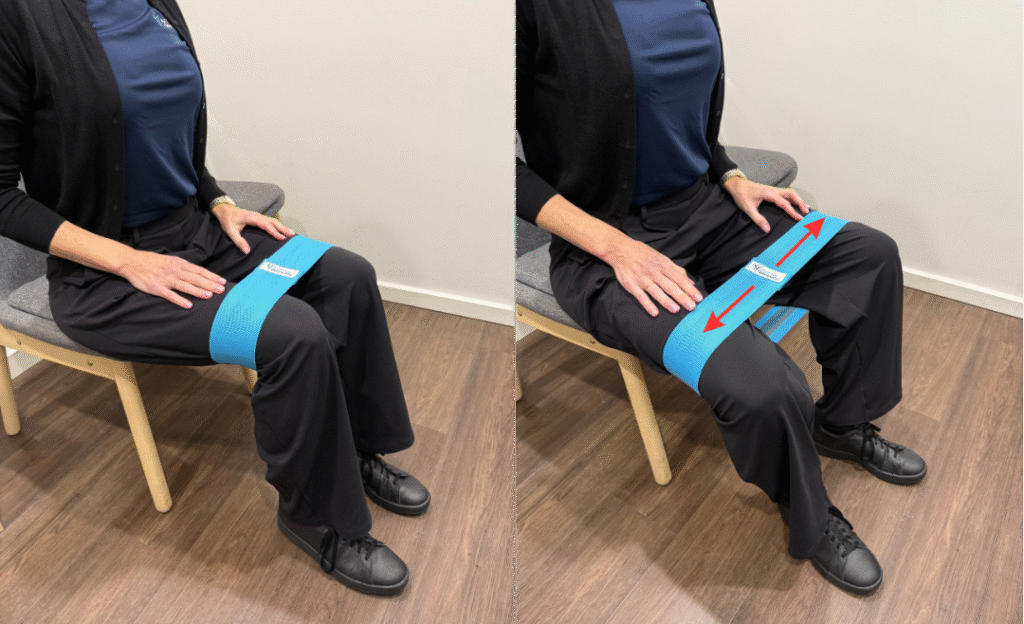
1. Seated Hip Abductor Activation
First, loop the band just above your knees. Sit tall and press your knees outward against the band. Hold for 10 seconds, then release and repeat.
This move fires up your glutes and hip abductors. Both muscle groups go dormant during long sitting sessions.
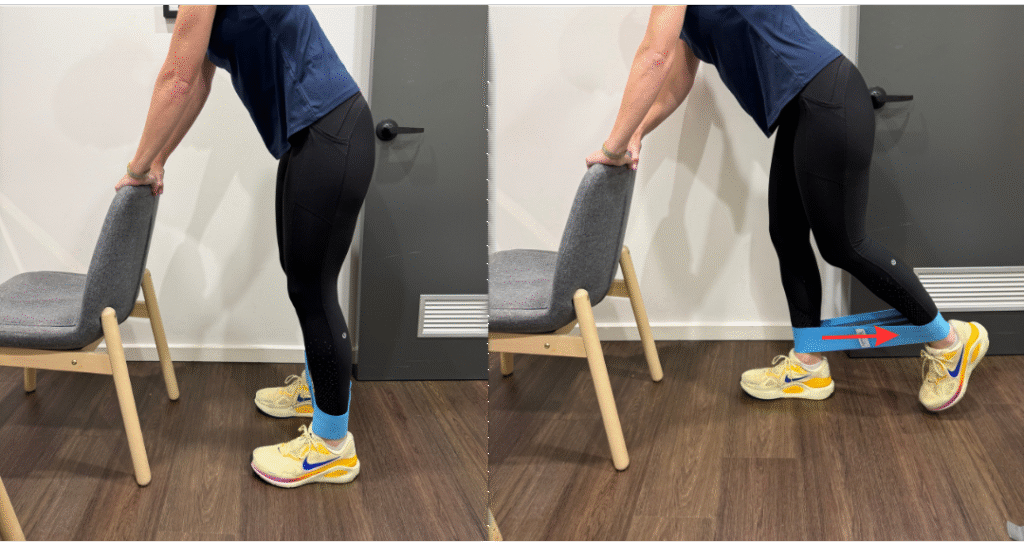
2. Standing Glute Kickbacks
Stand behind your chair and hold the backrest for balance. Next, loop the band around your ankles. Slowly kick one leg straight back and squeeze your glute at the top.
Do ten reps on each side. Your lower back will thank you.
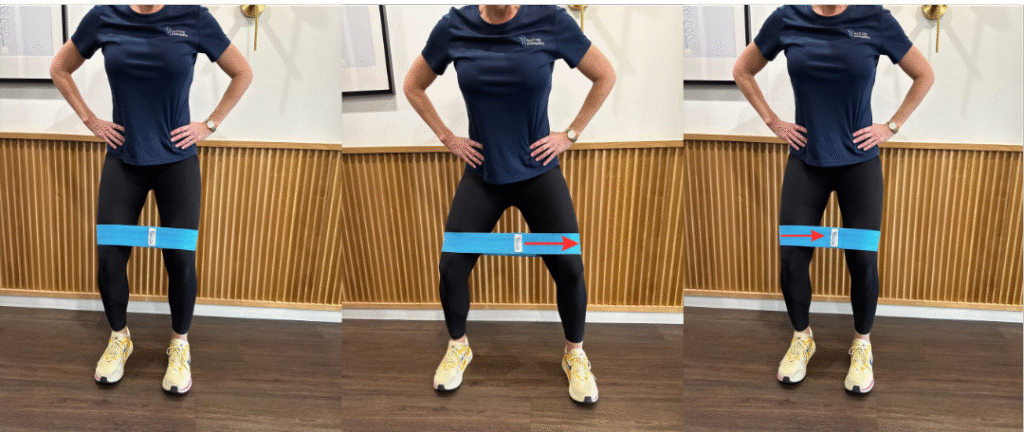
3. Lateral Band Walks
Loop the band just above your knees or around your ankles. Then sink into a slight squat and step side to side for 10–15 steps in each direction.
This move activates your hip stabilisers, which sitting leaves switched off.
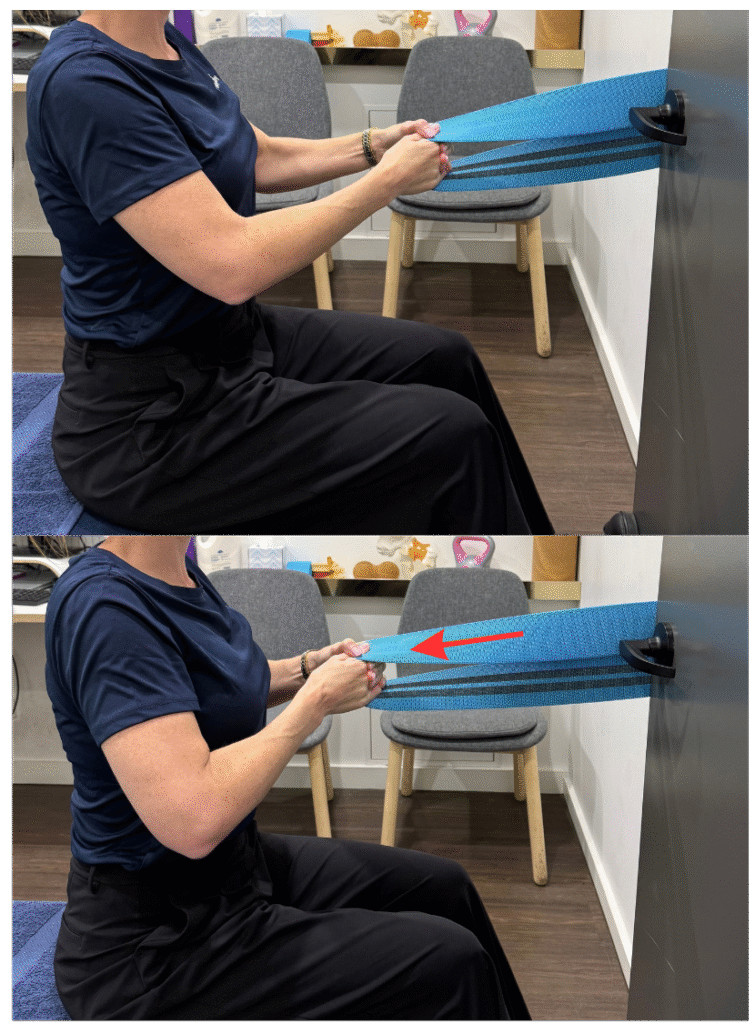
4. Seated Thoracic Pulls
Loop the band around a fixed point, such as a door handle. Sit or stand tall and hold the band with both hands. Gently pull back to open your chest and extend your upper spine.
Breathe deeply and hold for 20–30 seconds. It’s the perfect antidote to the screen-hunch.
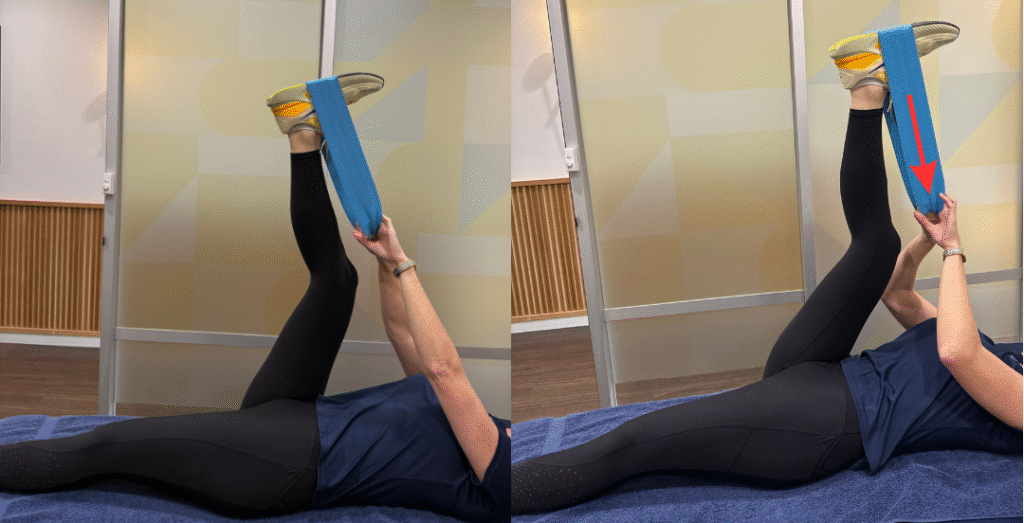
5. Hamstring Stretch
Lie on the floor or on your office couch (no judgment). Loop the band around one foot and raise that leg toward the ceiling. Then gently pull the band to deepen the stretch.
Hold for 30 seconds on each side. This one is a game-changer for lower back tightness.
The Bottom Line
You don’t need an hour to look after your body. Five intentional minutes with a resistance band loop, spread through your day, can reduce tension, improve circulation and keep you moving well.
At Ascot Vale Osteopathy, we always say that movement is medicine. And the best movement is the one you’ll actually do.
Pick up a resistance band loop from our online shop and start small. Your body, and your future self, will feel the difference.
Have questions about desk-related pain or tightness? Book in with one of our osteopaths. We’re here to help you move better, feel better and live better.
In recent years, cardiovascular diseases have become a leading cause of morbidity and mortality worldwide. Among the numerous factors contributing to these conditions, LDL cholesterol has gained significant attention. LDL, or ...
You’ve finished your treatment plan. Your back pain is gone. You’re moving well, sleeping better, and getting back to the things you love.
So… do you still need to see your osteopath?
It’s one of the most common questions we hear. And it’s...
Websites store cookies to enhance functionality and personalise your experience. You can manage your preferences, but blocking some cookies may impact site performance and services.
Essential cookies enable basic functions and are necessary for the proper function of the website.
Name
Description
Duration
Cookie Preferences
This cookie is used to store the user's cookie consent preferences.
30 days
These cookies are needed for adding comments on this website.
Name
Description
Duration
comment_author
Used to track the user across multiple sessions.
Session
comment_author_email
Used to track the user across multiple sessions.
Session
comment_author_url
Used to track the user across multiple sessions.
Session
Google reCAPTCHA helps protect websites from spam and abuse by verifying user interactions through challenges.
Name
Description
Duration
_GRECAPTCHA
Google reCAPTCHA sets a necessary cookie (_GRECAPTCHA) when executed for the purpose of providing its risk analysis.
179 days
Google Tag Manager simplifies the management of marketing tags on your website without code changes.
Name
Description
Duration
cookiePreferences
Registers cookie preferences of a user
2 years
td
Registers statistical data on users' behaviour on the website. Used for internal analytics by the website operator.
session
Statistics cookies collect information anonymously. This information helps us understand how visitors use our website.
Google Analytics is a powerful tool that tracks and analyzes website traffic for informed marketing decisions.
ID used to identify users for 24 hours after last activity
24 hours
_gat
Used to monitor number of Google Analytics server requests when using Google Tag Manager
1 minute
_gac_
Contains information related to marketing campaigns of the user. These are shared with Google AdWords / Google Ads when the Google Ads and Google Analytics accounts are linked together.
90 days
__utma
ID used to identify users and sessions
2 years after last activity
__utmt
Used to monitor number of Google Analytics server requests
10 minutes
__utmb
Used to distinguish new sessions and visits. This cookie is set when the GA.js javascript library is loaded and there is no existing __utmb cookie. The cookie is updated every time data is sent to the Google Analytics server.
30 minutes after last activity
__utmc
Used only with old Urchin versions of Google Analytics and not with GA.js. Was used to distinguish between new sessions and visits at the end of a session.
End of session (browser)
__utmz
Contains information about the traffic source or campaign that directed user to the website. The cookie is set when the GA.js javascript is loaded and updated when data is sent to the Google Anaytics server
6 months after last activity
__utmv
Contains custom information set by the web developer via the _setCustomVar method in Google Analytics. This cookie is updated every time new data is sent to the Google Analytics server.
2 years after last activity
__utmx
Used to determine whether a user is included in an A / B or Multivariate test.
18 months
_ga
ID used to identify users
2 years
_gali
Used by Google Analytics to determine which links on a page are being clicked
30 seconds
Marketing cookies are used to follow visitors to websites. The intention is to show ads that are relevant and engaging to the individual user.
Google Maps is a web mapping service providing satellite imagery, real-time navigation, and location-based information.
Share this news article online